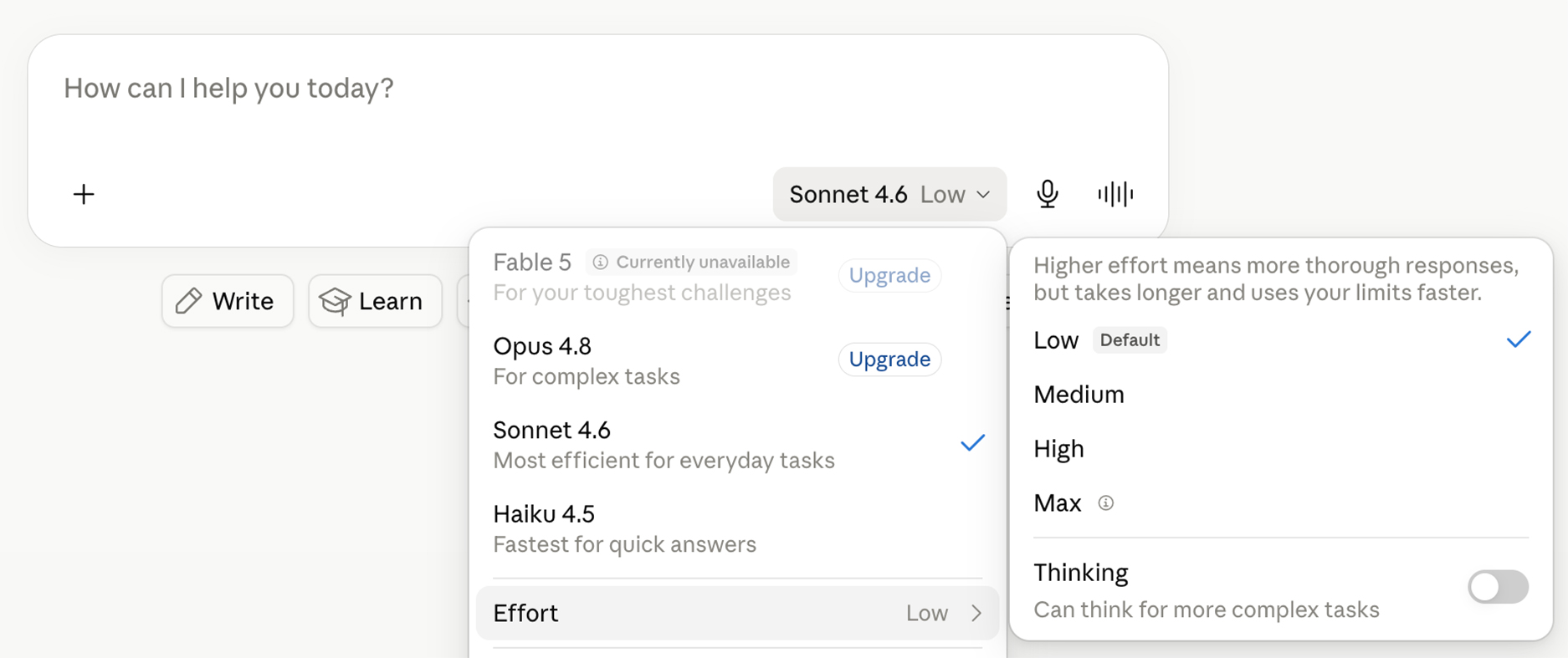
Key Takeaways from the AMA’s “Marketer’s Quick Start Guide to Claude” WebinarJuly 08, 2026In the American Marketing Association’s webinar, the “Marketer’s Quick Start Guide to Claude” showed how Claude AI is a practical, everyday tool and is becoming an efficient partner for marketing teams. Claude goes beyond basic prompting by producing clean writing, managing large volumes of information, and taking action across tools like Drive, Slack, and Outlook. Here’s a breakdown of the main concepts covered in the session: why Claude is an effective AI tool for marketers, how to get stronger results through structured inputs, and how features such as Projects, Skills, and Cowork can create a reliable, repeatable system for marketing work. Why Claude is an Essential Tool for MarketersBetter writing quality than other AI toolsClaude produces clear copy and uses a more natural tone compared to other AI tools. It avoids filler language, overuse of emojis, and AI-sounding introductions. For marketers, this means fewer edits and faster turnaround. Can handle large amounts of informationClaude’s context window is large enough to hold brand guidelines, campaign reports, transcripts, briefs, and more, all at once. That means you can load everything a human teammate would need and let Claude work from the full picture. Claude takes action, not just answers promptsClaude can read files, follow multi-step processes, update documents, pull data, run scheduled tasks, and work with tools like Google Drive, Slack, Asana, and Outlook. How to get better outputs from ClaudeThe differences in Claude’s AI model options and when each one should be usedClaude offers a few different model options, and choosing the right one matters both for output and quality.
Provide Claude AI the right contextOne of the biggest takeaways from this session is that your input determines your output. Claude doesn’t need you to describe your brand voice, it needs to see it. Paste real examples, upload your strongest posts, and give Claude the same materials you’d hand a new team member. Claude is a mimic at its core. It matches the tone far better when you show examples instead of explaining them. The same applies when building skills or refining a writing workflow. If you want Claude to write like you, consistently and at a high level, feed it the work that defines your standard: your best pieces, competitors’ best pieces, and the content you wish you’d written. That becomes Claude’s benchmark for future requests. To get the strongest results in Claude, it’s recommended to use the following in every request:
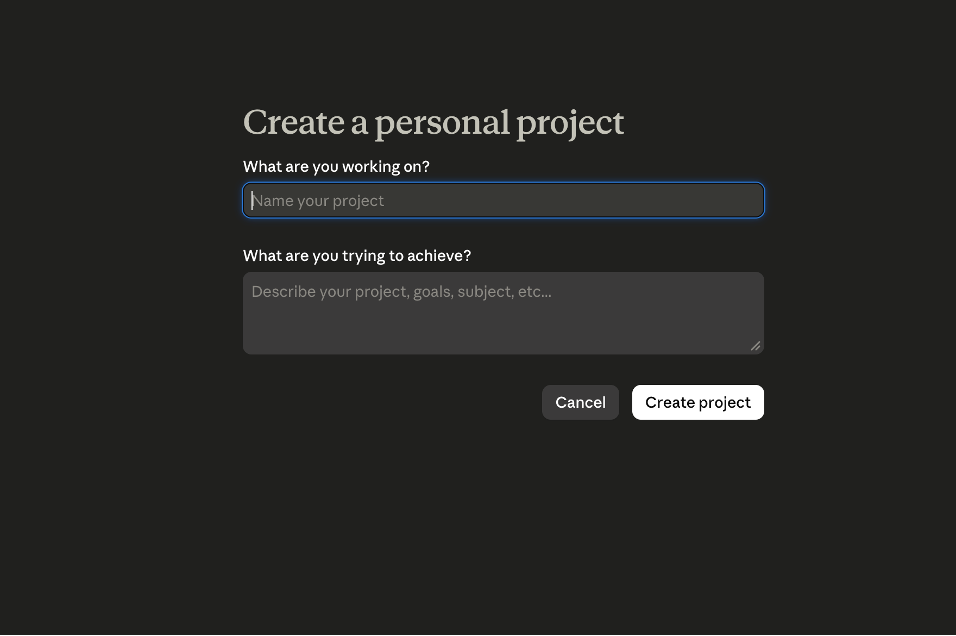
Use this structure consistently in your requests, and you’ll see a difference in the quality, accuracy, and tone of the outputs you receive. Create Projects & SkillsProjectsProjects act as dedicated workspaces that remember your tone, audience, brand rules, and reference files. You can set up Projects in your Claude account so that every new chat within that Project automatically starts with the relevant context already in place. What should you include in project instructions?A project should outline your role, audience, and the tone or formatting rules you want Claude to follow. You can also note how you prefer Claude to work with you, such as asking questions, pushing back, or keeping responses tight. You’ll get the best results by uploading your brand and tone guides, a few strong content examples, audience insights, and the materials you’d give a new teammate to get them up to speed.
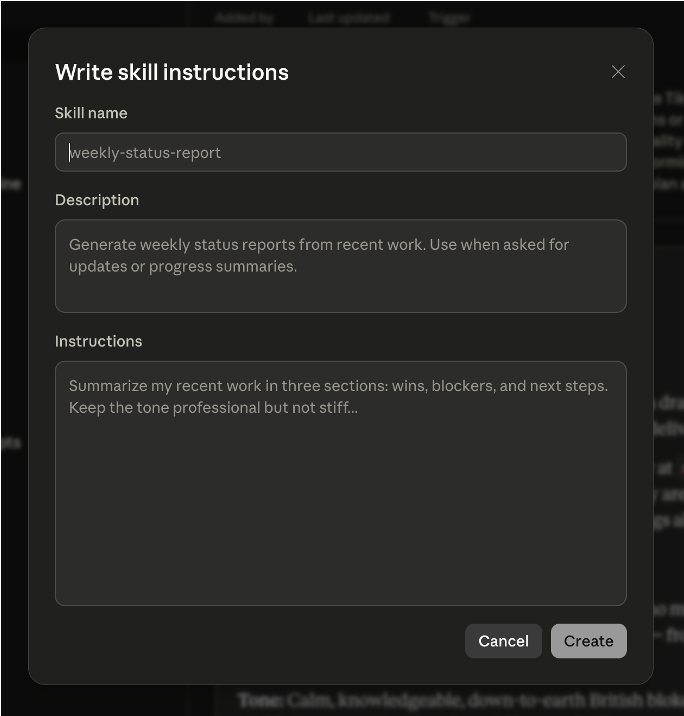
When should you use a project?Projects are most helpful when you want Claude to start with the right context every time. If you’re doing recurring work, repeating the same brand or audience details, or keeping a campaign consistent, a Project keeps everything in one place so you don’t have to restate it. SkillsSkills are saved workflows for tasks you repeat. You can teach Claude the steps once, using your best examples, and it captures the steps you take for tasks you do often, like writing social posts, drafting reports, or summarizing data, and it runs that process the same way every time. How do you create an efficient skill?Start with a high-performing piece of your work and break down what made it effective. Identify the structure, the decisions, and the tone, then turn those steps into a short process Claude can run on command. This works especially well for recurring tasks like press releases, client recap emails, social posts built from transcripts, or weekly report summaries. Anything with a familiar pattern becomes easier and more consistent once it’s saved as a skill.
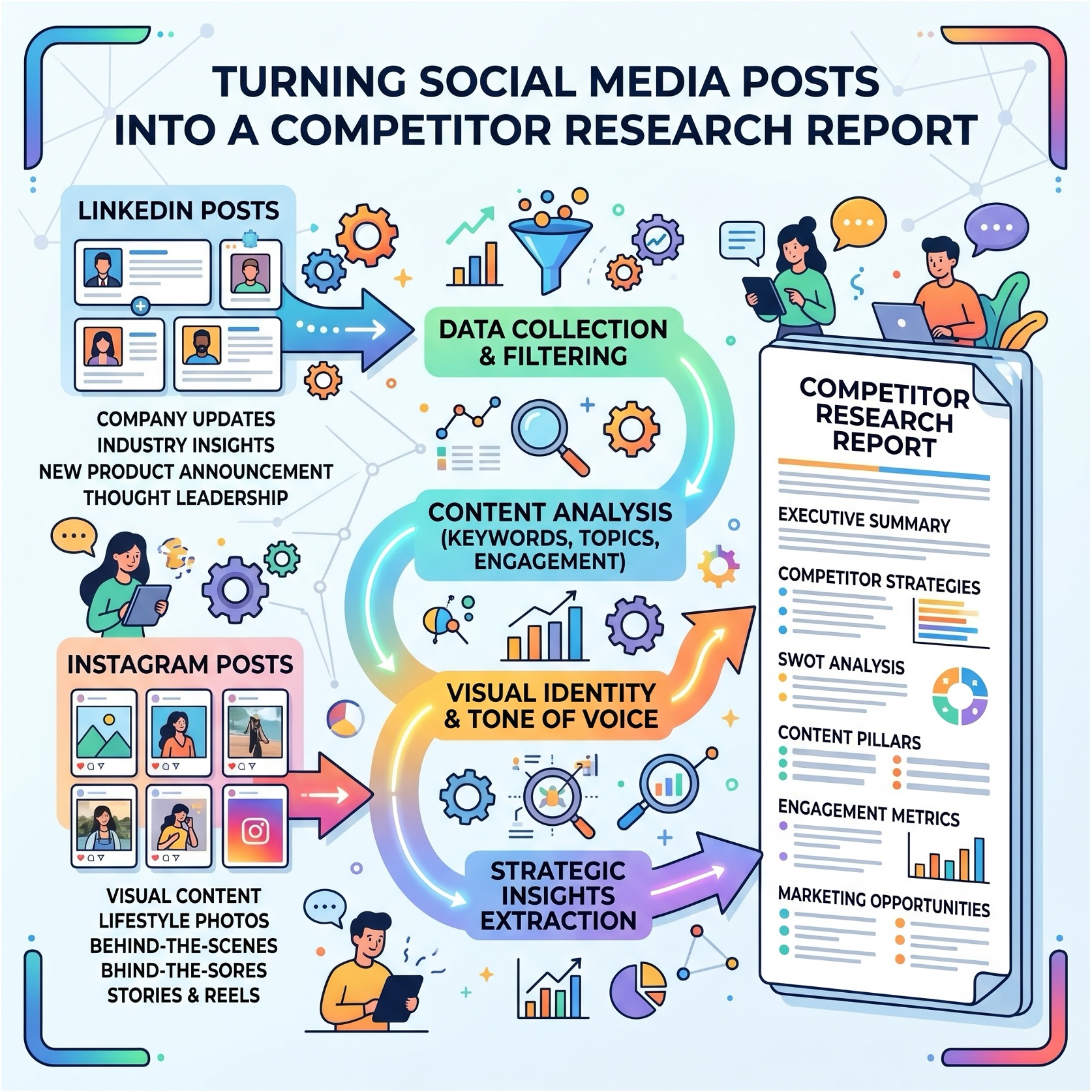
Projects and Skills work best when used together. Together, they create a system where Claude understands your environment and can create work that feels in-house. Cowork: Connectors, Workflows & AutomationClaude’s Cowork features make it easy to manage ongoing workflows across your tools. It connects with platforms like Gmail, Google Calendar, Asana, Slack, and your analytics accounts, letting it pull information, organize tasks, draft communications, and streamline recurring work. Once connected, Claude can reshape a single piece of content into multiple formats, prepare weekly performance updates, or monitor industry activity and surface what changed. You can also automate routine tasks so key insights are ready when you need them. For reporting, a simple CSV upload is often enough for Claude to analyze the numbers and produce a clear, polished summary, without rebuilding the workflow each week.
What a workflow includes
Most of us are only using a small portion of what Claude can do, but when you take a few minutes to set up with these tips, it becomes a reliable engine running in the background, taking work off your plate and helping projects move faster.
|
Explore our Blog
Sign up for email updates!
Join over 3,000 other marketing professionals to learn how to improve and advance your company's marketing.
The Archives
- OCTOBER 2026 (1)
- JULY 2026 (3)
- JUNE 2026 (1)
- FEBRUARY 2022 (1)
- DECEMBER 2021 (1)
- SEPTEMBER 2021 (1)
- AUGUST 2021 (1)
- JULY 2021 (1)
- JUNE 2021 (1)
- APRIL 2021 (1)
- FEBRUARY 2021 (2)
- DECEMBER 2020 (1)
- SEPTEMBER 2020 (1)
- AUGUST 2020 (1)
- MAY 2020 (1)
- JULY 2019 (1)
- AUGUST 2017 (1)
- JUNE 2015 (1)
- MARCH 2012 (1)
- AUGUST 2010 (1)